AI Prompt Tracking: How to Choose and Measure the Right Prompts
10 minutes read
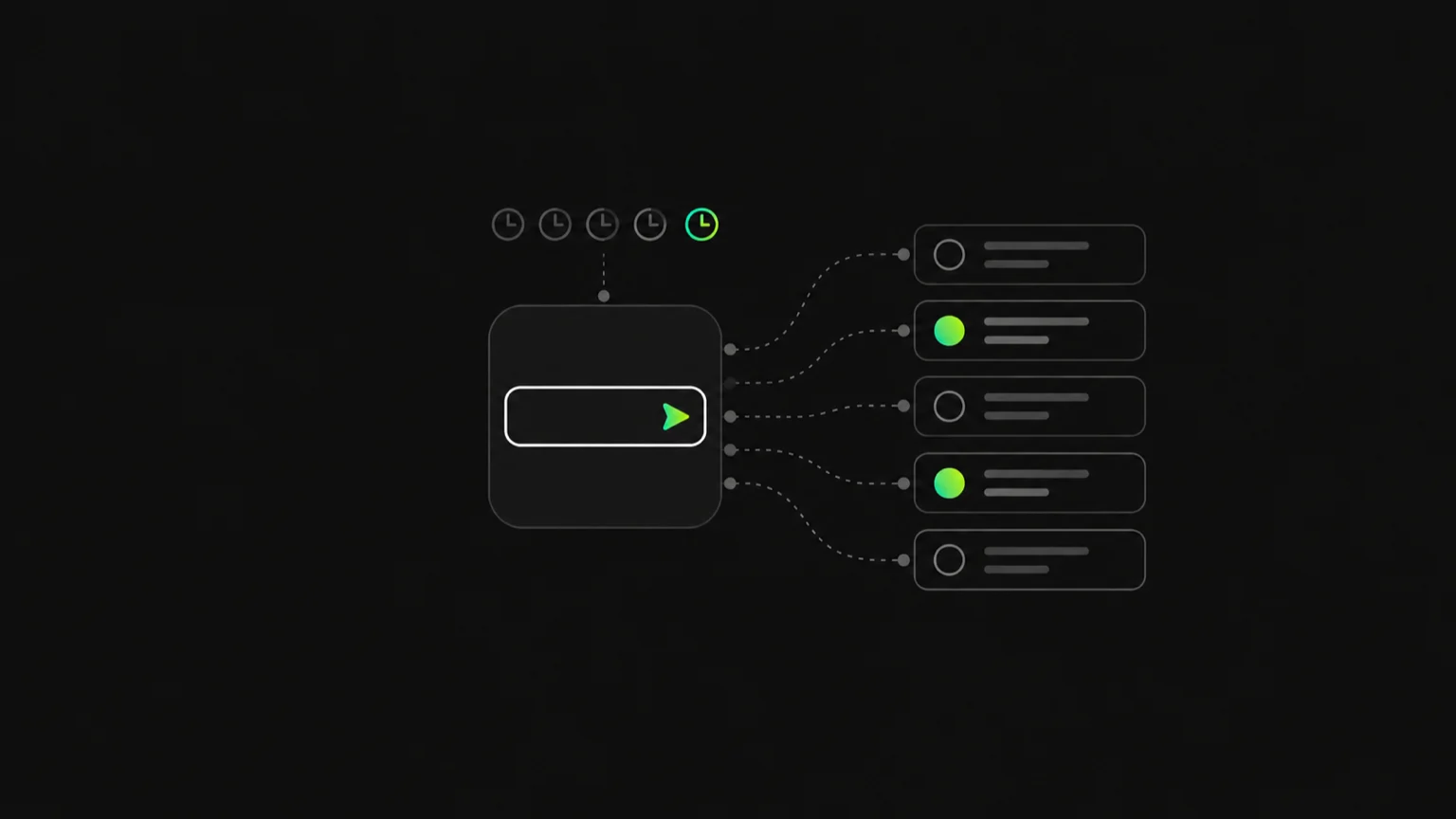
Your buyers are typing questions into ChatGPT, Perplexity, Gemini, Google AI Overviews, Copilot and Claude, and the answers they get back name a handful of brands. You cannot see those answers from your analytics. There is no impressions report for "the AI recommended a competitor instead of you."
AI prompt tracking is the practice of running a fixed set of buyer questions through AI assistants on a schedule and recording every answer. For each prompt you log whether your brand is named, at what position, with what sentiment, which competitors appear and which sources the engine cited. Repeated over time, those runs become a history you can act on, the same way keyword rank tracking turned one-off Google searches into a trend.
This guide covers whether prompt tracking is worth doing, how to choose prompts to track, how to measure them, and what a good prompt tracker should do.
What is AI prompt tracking?
A prompt is a question a real buyer might ask an AI assistant, such as "best CRM for a 10-person sales team" or "HubSpot alternatives for startups." Prompts are to AI search what keywords are to classic SEO: the unit you measure against.
AI prompt tracking means three things happen consistently:
- The same prompts run repeatedly, on a schedule, not whenever someone remembers.
- They run across the engines your buyers use, because each engine picks different sources and brands.
- Every answer is graded and kept: mention, rank, sentiment, competitors and citations, plus the full text so any number can be checked.
The output is not a screenshot. It is a per-prompt record that shows how each question treats your brand this week compared with last month.
Is prompt tracking useful?
Yes, with one condition: it has to be repeated. A single check tells you very little, because AI answers are not deterministic. Ask the same question twice and the model may name a different set of brands, reorder the list or cite different pages. One run is an anecdote.
That variance is exactly why prompt tracking is useful. When the same prompt runs every day, the noise averages out and you get a rate: named in most answers, named in some, or almost never named. A move in that rate over several weeks is a real change, not a lucky roll. We go deeper on this in how to know if ChatGPT recommends your brand.
Prompt tracking is useful when you want to:
- Get a baseline for how often AI recommends you in your category.
- Spot gaps: prompts where competitors are named and you are not.
- See which sources drive the answer, so you know where to earn coverage.
- Prove progress after content, PR or community work, with a trend instead of anecdotes.
It is less useful if you track the wrong questions. A prompt list stuffed with your own brand name will always look healthy and tell you nothing. Which brings us to the most important decision.
How to choose prompts to track
Choose prompts that a buyer who does not know you yet would actually ask, spread across the stages of a purchase, with most of them unbranded. A good starting set is 20 to 30 prompts grouped by intent, then expanded once you see which categories move.
Here is a framework you can apply in an afternoon.
1. Start from buyer-intent categories
Group candidate prompts into categories that map to real buying moments:
| Category | What the buyer wants | Example shape |
|---|---|---|
| Best-of | A shortlist | "best [category] for [audience]" |
| Use case | A tool for a specific job | "[category] that does [job]" |
| Alternatives | A switch away from a known brand | "[competitor] alternatives" |
| Comparison | A head-to-head verdict | "[competitor A] vs [competitor B]" |
| Problem | Help with a pain, not a product | "how to [solve problem]" |
| Evaluation | Fit, price or trust questions | "is [category] worth it for [audience]" |
Best-of, use-case and alternatives prompts usually matter most, because they are where AI builds a shortlist.
2. Cover the funnel, not just the bottom
Buyers ask different questions at different stages:
- Awareness: problem prompts ("how do I stop losing track of deals"). AI often answers with a method, then names tools.
- Consideration: best-of and use-case prompts. This is where shortlists form.
- Decision: comparisons, alternatives and evaluation prompts. The buyer is choosing between names they already have.
If every prompt you track is bottom-funnel, you will miss the earlier answers that decide whether you make the shortlist at all.
3. Keep most prompts unbranded
A prompt that names your brand will almost always surface your brand. That measures reputation and accuracy, which matters, but it does not measure whether AI recommends you unprompted.
A practical split is to make the large majority of your set unbranded category questions, and keep a small number of branded prompts ("is [your brand] good for [use case]", "[your brand] pricing") to check what AI says about you when asked directly.
4. Add competitor comparisons deliberately
Comparison prompts show how AI frames you against specific rivals. Include:
- Your brand vs your closest competitors, to check the verdict and the reasons given.
- Competitor vs competitor prompts where you are absent, to see whether AI ever adds you as a third option.
- "[Competitor] alternatives" for your top two or three rivals. These are some of the highest-intent unbranded prompts you can track.
5. Write prompts the way buyers talk
Use natural, conversational phrasing and include the qualifiers buyers add: team size, industry, budget, integrations, region. "Best CRM" is too broad to be useful. "Best CRM for a small B2B sales team that uses Gmail" is closer to what people actually type into an assistant.
Sources for real phrasing: sales call notes, support tickets, onboarding survey answers, Reddit threads in your category and the questions your Google Search Console already shows.
6. Decide how many to start with
Start with 20 to 30 prompts. That is enough to cover each category and stage without drowning in data. Once a few weeks of runs show which categories are weak, add prompts there rather than spreading evenly.
Example prompt set for Cadence, a fictional CRM
Here is what a starting set might look like for Cadence, a CRM aimed at small B2B sales teams.
| Stage | Category | Prompt |
|---|---|---|
| Awareness | Problem | How do small sales teams keep track of their pipeline? |
| Awareness | Problem | What is the easiest way to stop deals slipping through the cracks? |
| Consideration | Best-of | Best CRM for a 10-person B2B sales team |
| Consideration | Best-of | Best CRM for startups on a budget |
| Consideration | Use case | CRM that syncs with Gmail and Google Calendar |
| Consideration | Use case | Simple CRM with a visual sales pipeline |
| Decision | Alternatives | HubSpot alternatives for small teams |
| Decision | Alternatives | Salesforce alternatives that are easier to set up |
| Decision | Comparison | Pipedrive vs HubSpot for a small sales team |
| Decision | Evaluation | Is a CRM worth it for a team of five? |
| Branded | Comparison | Cadence vs Pipedrive |
| Branded | Evaluation | Is Cadence a good CRM for startups? |
Notice that only two of the twelve name Cadence. The other ten are questions a buyer who has never heard of Cadence would ask, which is where new pipeline comes from.
How do you measure AI prompt performance?
Measure each prompt with four numbers: visibility rate, rank, share of voice and citations. Sentiment sits alongside them as a check on how you are described. Each one answers a different question, and each points to a different next move.
- Visibility rate: the share of answers to a prompt that mention your brand. This is the headline number. If it is near zero, nothing else matters yet.
- Rank: where you appear in the answer when you are named. First and recommended is very different from a footnote after four rivals.
- Share of voice: your slice of all brand mentions across the answers, compared with each competitor. It turns "we think we are behind" into a specific gap. See share of voice in AI answers for how to benchmark it.
- Citations: the URLs the engine drew from. When a competitor is named and you are not, the cited sources usually explain why, and tell you where to earn coverage.
Read these per prompt, then roll them up by category and by engine. A brand can be strong on ChatGPT and invisible on Perplexity for the same question. For a fuller breakdown of how to act on each metric, read the GEO metrics that matter.
Common prompt tracking mistakes
- Tracking branded prompts only. Your numbers look great and tell you nothing about unprompted recommendations.
- Checking once and drawing conclusions. Answer variance makes single runs unreliable. Look at rates over weeks.
- Querying from your own logged-in account. Account memory and personalization can flatter your brand. Your buyer's fresh session does not know you.
- Tracking one engine. Each engine favours different sources, so one engine is a partial picture.
- Vague prompts. "Best software" produces generic answers that do not match any real buyer.
- Never pruning. Prompts that no buyer asks, or that never change, crowd out ones that would teach you something. Retire them and keep their history.
- Stopping at the number. A low visibility rate is a starting point. The action lives in the citations and competitor gaps behind it.
What should a prompt tracker do? A checklist
Whether you build a spreadsheet process or buy a prompt tracker, check it against this list:
- Runs every prompt automatically on a fixed schedule, ideally daily
- Covers the engines your buyers use, not just ChatGPT
- Queries neutrally, without logged-in accounts or personalization
- Records mention, rank and sentiment for every answer
- Shows which competitors appear, and your share of voice against them
- Lists the sources each engine cited
- Keeps the full answer text, so every number can be verified
- Suggests prompts from your site and category, so you do not start from a blank page
- Lets you pause or retire prompts without losing history
- Rolls prompts up into a single trend for the brand
Gensiv was built around this list: it suggests neutral prompts from your domain, runs them daily across six engines logged-out, and keeps every answer with visibility, rank, sentiment, competitors and sources.
FAQ
What is AI prompt tracking?
AI prompt tracking is running a fixed set of buyer questions through AI assistants such as ChatGPT, Perplexity and Gemini on a schedule, and recording each answer. For every prompt you see how often your brand is named, where it ranks, how it is described, which competitors appear and which sources were cited.
Is prompt tracking useful?
Yes, if it is repeated. AI answers vary from run to run, so a single check is unreliable. Running the same prompts daily turns that variance into a stable visibility rate, shows where competitors beat you and reveals which sources shape the answer.
How do I choose prompts to track?
Pick questions a buyer who does not know you would ask. Group them by intent (best-of, use case, alternatives, comparisons, problems), cover awareness through decision, keep most of them unbranded and phrase them conversationally with real qualifiers like team size or industry.
How many prompts should I track?
Start with 20 to 30 prompts spread across intent categories and funnel stages. After a few weeks of daily runs, add prompts in the categories where your visibility is weakest instead of expanding evenly.
What is a prompt tracker?
A prompt tracker is a tool that runs your chosen AI prompts on a schedule across multiple engines and grades each answer for brand mention, rank, sentiment, competitors and citations, keeping a history so you can see change over time.
Start with the prompts that matter
AI prompt tracking only works when the questions are right and the runs are repeated. Build a set of 20 to 30 unbranded buyer questions, measure them daily across engines, and follow the citations behind every gap.
Want to see how AI answers your buyers' questions today? Get a free AI visibility report, or see how Gensiv prompt tracking works.
More blog posts to read
White-Label GEO Reporting: Building AI Visibility Client Reports
A practical guide to white-label GEO reporting for agencies: what an AI visibility client report should contain and how to pick a multi-client platform.
September 29, 2026
GEO for Agencies: Turning AI Visibility Into a Client Retainer
GEO for agencies turns AI visibility into a recurring, white-label deliverable: visibility rate, share of voice, citations, and Reddit threads.
July 23, 2026